
Prevent secrets leaking into AI coding tools
Developers paste API keys, DB credentials, and tokens into AI coding tools daily. How to detect, block, and audit secret leaks in Claude Code and Copilot.
Pranav Lakhani
CTO, CloudByte AI
- Secret formats detected
- 40+
- Configurable detectors
- 23
- Entropy flag threshold
- 4.5 bits
- Credential rotation interval
- 90 days
TL;DR
- Secrets reach AI tools three ways: intentional pastes, automatic context injection of open files like .env, and responses that echo or infer real credentials.
- Context injection is the hardest vector to catch because the developer never types the secret and it never enters the diff, so code review misses it.
- Combine regex for 40+ known formats such as AKIA, AIza, ghp_ and sk_live_ with entropy scoring above 4.5 bits per character on strings of 20+ characters.
- Copilot, Claude Code and Cursor offer no pre-send secret scanning, so detection must come from an AI DLP layer that scans both prompts and responses.
- If a secret leaks, rotate it first, check 24-72 hours of access logs, update dependent services, document it for audit, then tighten your scanning policy.
A developer on your team is debugging a database connection issue. They paste the error message — including the full connection string — into Claude Code to get help. The AI returns a fix. The session is logged. The connection string, with username, password, and host, is now sitting in your AI tool vendor's infrastructure.
This happens dozens of times a day on engineering teams using AI coding tools. Most teams find out during a security audit, not a breach — if they find out at all.
How do secrets end up in AI coding tool prompts?
Secrets reach AI tools through three paths, and only one of them requires the developer to do something deliberately.
The first is intentional paste: a developer copies a config file, a .env example, or a test fixture directly into the prompt because it contains the error they are trying to debug. This is the most visible vector and the easiest to coach away — but coaching does not scale.
The second is context injection: modern AI coding tools like Claude Code, Copilot, and Cursor automatically include open files, the current file's content, or recently edited buffers as context with every prompt. A developer who has a .env file open in their editor may never see it being included in the session — but it is.
The third is response leakage: the AI generates code or configuration that contains a real secret. This happens when the AI infers a credential from partial context ("fill in this config template") or when it echoes back a value from earlier in the session. The developer applies the suggestion; the secret is now in a file, a PR, or a log.
Which vector is hardest to catch manually?
Context injection is by far the hardest to catch. The developer does not type the credential — the tool adds it automatically. You cannot rely on code review to catch it because the secret never enters the diff. You need a layer that inspects the session payload before transmission.
The AI tool vendor does not scan your prompts for secrets. Anthropic, GitHub, and Cursor treat your prompt content as input — they have no obligation to detect credentials on your behalf. Detection is your responsibility.
What types of secrets are most commonly exposed to AI coding tools?
Cloud provider keys carry the highest blast radius; API tokens are the highest frequency.
Here is how the most common secret types compare:
| Secret type | Frequency | Blast radius | Typical source in AI sessions |
|---|---|---|---|
| Cloud provider keys (AWS, GCP, Azure) | Medium | Critical — often broad account access | Infra scripts, Terraform configs, test fixtures |
| Database connection strings | High | Critical — direct data access | Debug pastes, ORM configs, migration scripts |
| API tokens (GitHub, Stripe, Twilio, etc.) | High | High — scoped but persistent | Copy-paste from docs, automation scripts |
| JWT signing secrets | Medium | High — token forgery | Backend config files, local .env |
| SSH private keys | Low | High — server access | Rarely, but high-impact when it happens |
| Internal service URLs + auth | High | Medium — recon value | Microservice configs, gateway configs |
| Personal access tokens | High | Medium–High | Developer scripts, ad hoc API calls |
The pattern: developers most often expose secrets that are close at hand — sitting in an open file, recently copied to clipboard, or embedded in the error message they are trying to solve. They are not being careless; the workflow just makes proximity to secrets normal.
For the wider set of controls around AI coding tools, see AI governance tools for engineering teams.
How do you detect secrets in AI prompts before they're sent?
Real-time prompt scanning — inspecting the session payload before it leaves the developer's machine — is the only reliable approach.
There are two detection techniques:
Pattern-based detection (regex for known formats)
Cloud provider keys have well-documented formats. AWS access keys start with AKIA. Google API keys start with AIza. GitHub personal access tokens start with ghp_ or github_pat_. Stripe keys start with sk_live_ or pk_live_. A comprehensive regex library covering 40+ formats catches the majority of structured secrets.
The limitation: pattern matching only works on secrets with known formats. An internal service token with no consistent prefix will not match. And rotation changes the value but not the pattern — if a key format changes, your patterns lag.
Entropy-based detection for unstructured secrets
High-entropy strings — random-looking sequences of alphanumerics — are a statistical signal for credentials even without a known format. A database password like xK9#mPq2!nR5wLs7 matches no known prefix, but its entropy score (Shannon entropy > 4.5 bits/character over a 20+ character string) flags it as a probable secret.
Entropy-based detection has a higher false-positive rate than pattern matching — configuration values, UUIDs, and hashes also trigger it. It works best as a secondary signal: flag for review when entropy is high AND the string appears in a context that suggests a credential (adjacent to the word "key", "token", "password", "secret", or "auth").
Which AI coding tools give you visibility into what gets sent?
None of the major AI coding tools give you full prompt-level visibility by default. Here is how they compare for security teams:
| Capability | GitHub Copilot | Claude Code | Cursor | CloudByte AI (any tool) |
|---|---|---|---|---|
| Pre-send secret scanning | ❌ No | ❌ No | ❌ No | ✅ Real-time, both directions |
| Prompt content audit log | ❌ Not exportable | ❌ Not exportable | ❌ No | ✅ Per-session, exportable |
| Credential detection coverage | ❌ None | ❌ None | ❌ None | ✅ 40+ secret types |
| Block-on-detection policy | ❌ No | ❌ No | ❌ No | ✅ Configurable per severity |
| Response scanning | ❌ No | ❌ No | ❌ No | ✅ Inbound + outbound |
| Severity tiers | ❌ No | ❌ No | ❌ No | ✅ Critical / High / Medium |
The absence of vendor-native detection is not a criticism — Copilot, Claude Code, and Cursor are productivity tools. Secret scanning is a security-layer concern. The gap is that many teams assume the tool handles it, when in reality no vendor does.
How does real-time AI DLP work for coding teams?
AI DLP (Data Loss Prevention for AI) intercepts session payloads — both the prompt sent and the response returned — and scans them for sensitive patterns before and after transmission.
The CloudByte AI implementation works in two directions:
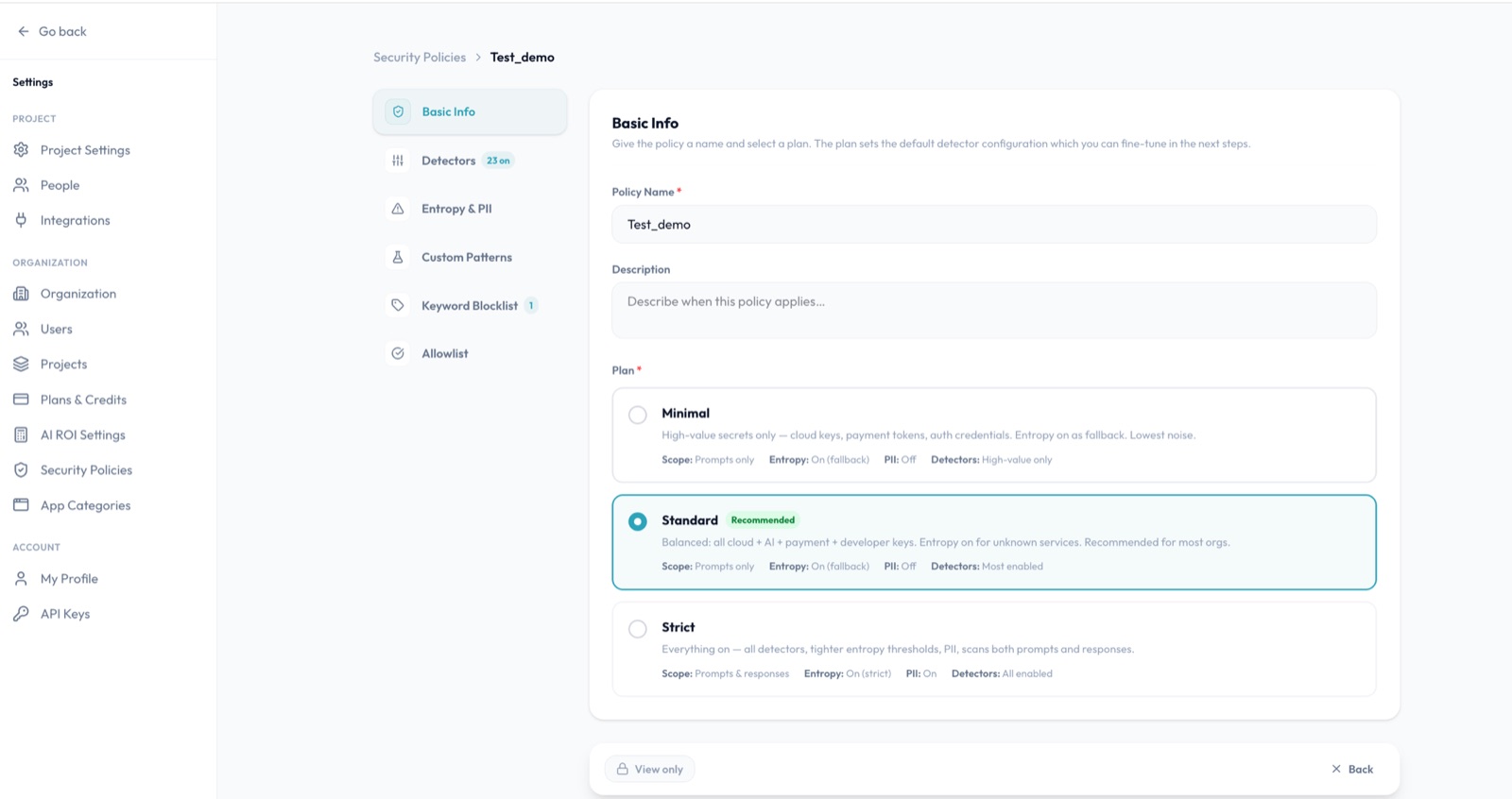
Outbound (prompt scanning): The sync agent inspects the session context — including file attachments, clipboard content, and injected buffers — before the payload reaches the AI provider. Detections at Critical severity can be configured to block the session entirely and alert the developer. High and Medium detections generate a flag in the security dashboard.
Inbound (response scanning): The response from the AI provider is scanned before it reaches the developer's editor. If the AI has echoed a credential back in a code suggestion or configuration template, the flag appears before the developer applies the suggestion.
This bidirectional scan is the difference between AI DLP and traditional DLP. A conventional tool watching file uploads would miss both vectors entirely.
Severity tiers in CloudByte AI: Critical — cloud provider keys, database connection strings. High — API tokens, JWT secrets, SSH keys. Medium — internal URLs with auth components, configuration patterns. Policy actions are independently configurable per tier: block, flag, or log-only.
What should you do if a secret has already been sent to an AI tool?
Rotate the credential immediately — before any investigation. Assume it is compromised the moment it left your environment, regardless of whether you believe the AI provider's data handling is trustworthy.
The post-rotation checklist:
- Rotate — generate a new credential and revoke the old one at the provider level, not just in your config. A revoked AWS key cannot be replayed; a removed config value can.
- Check access logs — review the credential's access log for the past 24–72 hours. Look for API calls you do not recognise, especially from IP addresses outside your infrastructure. Most cloud providers expose this in their console.
- Revoke dependent sessions — any service using the old credential needs to be updated. Identify downstream services that inherited the credential from config.
- Document for audit — note the date, the credential type, the AI tool involved, and the remediation steps taken. This is your evidence trail for a SOC 2 control audit.
- Update your scanning policy — if the leak was via context injection, tighten the file-type rules on what gets included in AI session context. If it was a paste, consider adding a pre-commit hook that scans staged files for known patterns.
The investigation (how it got into the prompt) is important but secondary. Contain the blast radius first.
How do you build a secret-safe AI coding workflow?
Three controls, in order of impact:
1. Automated pre-send scanning — the most important. A scanning layer that runs before the payload reaches the AI provider stops secrets from leaving your environment. This is not something developers can replicate manually at scale; it must be automated.
2. Exclude credential files from AI context — configure your AI tool to exclude .env, *.pem, *secret*, and *credential* files from automatic context injection. Claude Code supports a .claudeignore file analogous to .gitignore. Most AI tools have similar exclusion mechanisms. This does not eliminate all risk (developers can still paste manually) but removes the highest-frequency automatic vector.
3. Rotate credentials on a schedule — even if a secret is exposed, a short credential lifetime limits the damage window. Secrets that rotate every 90 days or less have a much smaller blast radius than static long-lived tokens. AWS IAM roles, short-lived OIDC tokens, and managed secrets services reduce the risk of any single leaked credential becoming a persistent breach.
See how CloudByte AI scans every AI session for secrets in real time — the AI DLP layer that sits on top of any AI coding tool.
Conclusion
Secrets leak into AI coding tools through ordinary debugging work, and the most common path, automatic context injection, never shows up in a diff or a code review. No major AI coding tool scans prompts for credentials, so detection is your responsibility.
Put automated pre-send scanning in place first, covering both prompts and responses, then exclude files like .env and *.pem from AI context and rotate credentials every 90 days or less. When a secret does slip through, rotate it before you investigate and document the remediation for your audit trail.
Frequently asked questions
Secrets reach AI tools through three main paths: (1) developers paste file contents containing credentials — a config file, a .env example, a test fixture — directly into the prompt; (2) the AI tool's IDE extension automatically includes open files as context, and one of those files contains a real key; (3) the AI generates a response with a secret embedded, and that response is logged or forwarded. In our scanning data, context injection from open files is the most common vector and the hardest to catch manually because it happens automatically.
API keys are the most frequent, followed by database connection strings, JWT secrets, and internal service URLs. Cloud provider keys (AWS, GCP, Azure) carry the highest blast radius because they often grant broad account access. Personal access tokens for GitHub or GitLab are high-frequency because developers routinely copy them for scripting tasks, then forget to remove them from files that end up in AI context.
You need a prompt + response scanning layer that sits between the developer's IDE and the AI provider. Without one, secrets pass through invisibly — the AI tool vendor does not scan for credentials on your behalf. CloudByte AI installs a sync agent per developer seat that intercepts session context before transmission and flags patterns matching 40+ known secret formats. You see flagged sessions in the dashboard within seconds of detection.
Rotate the credential immediately — before investigating how it got there. Assume the key is compromised the moment it left your environment. After rotation: check the credential's access logs for any calls you did not make in the preceding window, revoke any sessions that used the original key, and document the incident for your audit trail. The investigation (how it got into the prompt) can happen after the blast radius is contained.
Yes. CloudByte AI scans every prompt and every response in real time, in both directions — outbound context sent to the AI and inbound responses returned to the developer. Detections are classified into three severity tiers: Critical (cloud provider keys, database credentials), High (API tokens, JWTs, SSH keys), and Medium (internal URLs, configuration patterns). The policy engine can be set to block transmission on Critical findings or flag-and-alert on High/Medium.
Traditional DLP (Data Loss Prevention) monitors file transfers, email, and clipboard actions. AI DLP adds a layer specifically for LLM prompt and response traffic — a new data channel that traditional DLP tools do not inspect. The key difference is bidirectionality: an AI tool can leak a secret not only through what a developer sends (the prompt) but through what it returns (the response). A traditional DLP tool watching file uploads would miss both paths entirely.